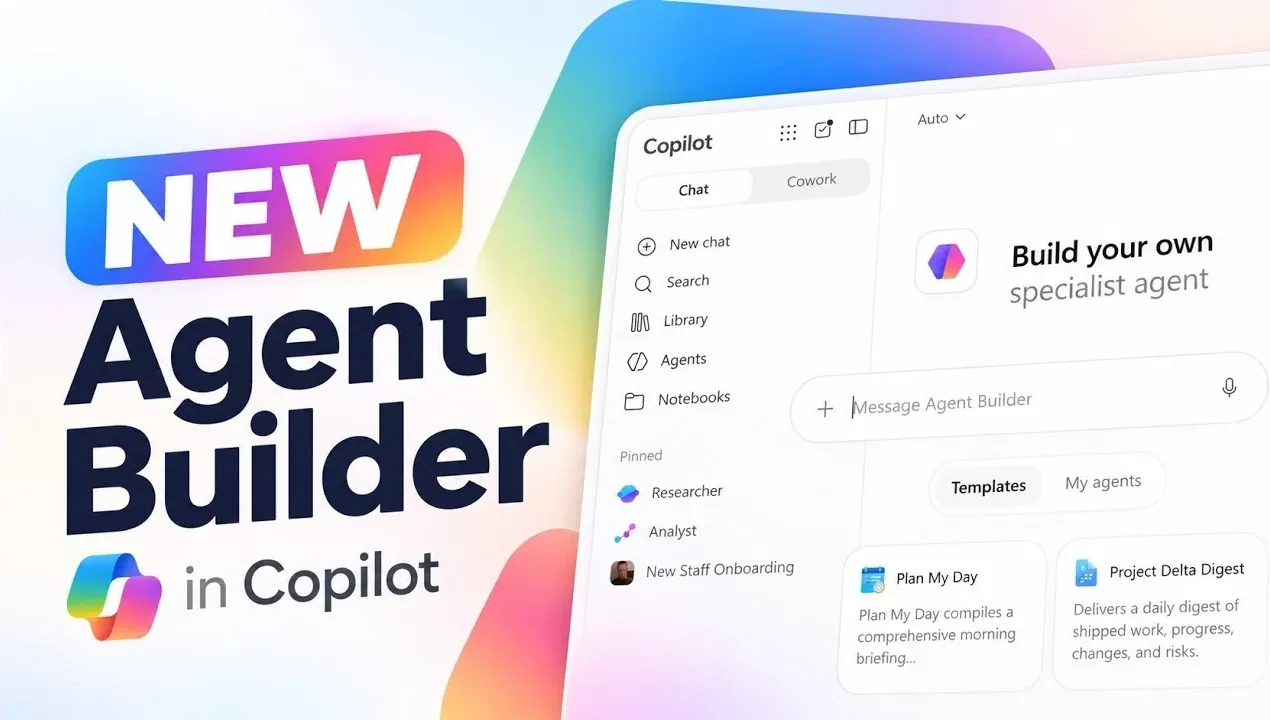
Microsoft has introduced a streamlined way to create AI agents with its new Agent Builder in Microsoft Copilot. This feature allows users to design, customize and deploy AI agents in just minutes, making it accessible for both technical and non-technical professionals. For instance, you can use pre-designed templates or create custom prompts to define an agent’s role, such as automating onboarding tasks or generating weekly reports. Mike Tholfsen explores how this framework integrates seamlessly with organizational data, allowing agents to deliver accurate and contextually relevant responses tailored to specific business needs.
In this practical overview, you’ll gain insight into how to customize AI agents with features like reusable skills and personalized interfaces. Learn how to test and refine your agent’s performance before deployment, making sure it meets organizational standards. Additionally, discover how to monitor metrics like session counts and user activity to keep your agents aligned with evolving goals. This guide equips you with the knowledge to build and manage AI agents effectively, whether for small teams or enterprise-wide applications.
Streamlined Agent Creation
TL;DR Key Takeaways :
- Microsoft’s enhanced Agent Builder within the Copilot platform simplifies the creation, customization and deployment of AI agents, allowing functional agents to be built in minutes.
- The tool integrates seamlessly with organizational data sources like SharePoint and Teams, making sure AI agents deliver accurate and contextually relevant responses.
- Customization options include reusable skills, personalized interfaces and tailored behavior to align with organizational branding and operational goals.
- Testing and monitoring features allow users to refine agent performance, track metrics and ensure alignment with evolving organizational needs.
- IT administrators can manage permissions, oversee deployment and ensure compliance with company policies, providing secure and effective implementation of AI agents.
The Agent Builder, accessible through the Microsoft 365 Copilot interface, provides an intuitive framework for creating AI agents. You can start with pre-designed templates or create custom prompts to define the agent’s purpose. For example, you might design an agent to automate onboarding processes, generate weekly reports, or assist with customer inquiries.
A critical aspect of this process is data integration. The tool allows you to connect your agent to various data sources, such as SharePoint sites, organizational documents, or other files. This ensures your agent has access to the information it needs to deliver accurate and contextually relevant responses. By using these integrations, you can create agents that are not only functional but also highly responsive to your organization’s unique needs.
Customizing AI Agents for Your Needs
The Agent Builder offers robust customization options, allowing you to tailor AI agents to meet specific organizational requirements. One of its standout features is the ability to incorporate reusable skills—predefined actions such as scheduling meetings, summarizing documents, or generating reports. These reusable skills can be applied across multiple agents, saving time and making sure consistency.
You can also personalize the agent’s interface and behavior. This includes customizing icons, defining suggested prompts and setting parameters to guide responses. These features ensure your agent aligns with your organization’s branding and operational goals. For example, you might configure an agent to prioritize concise answers for customer service or provide detailed explanations for internal training purposes.

Browse through more resources below from our in-depth content covering more areas on Microsoft Copilot.
- Why Copilot Cowork Could Cost Your Business $200 per User
- Automate Project Plans with 6 Microsoft 365 Copilot Upgrades
- 8 New Features in Microsoft 365 Copilot: Real-Time Editing Arrives
- Microsoft Copilot Can Now Build Microsoft PowerPoint Slides from OneNote
- Microsoft Copilot 2026 Adds OpenAI GPT 5.6 and Anthropic Claude 5
- 12 New Copilot Features & Microsoft Edge AI Browser Guide
- 7 New Microsoft Copilot Features: Integrate Task Management Across Work Apps
- 10+ Microsoft Copilot tips and tricks to improve your productivity
- Default Settings Make Microsoft Copilot Agents Less Effective
- Microsoft Outlook Expands Business Mailboxes to 100GB Discontinues Google Calendar Sync
Expanding Capabilities with Knowledge Base Integration
For organizations using Copilot Premium, the Agent Builder integrates seamlessly with Microsoft tools like SharePoint, Teams and Outlook. This integration significantly expands your agent’s capabilities, allowing it to access a broader range of resources and handle more complex tasks.
You also have control over the agent’s knowledge base. Depending on the task, you can restrict or expand the information it can access, making sure it operates within appropriate boundaries. This flexibility allows you to maintain security and relevance while tailoring the agent’s functionality to specific use cases. For instance, an agent designed for HR purposes might access employee handbooks and policy documents, while a customer-facing agent could be limited to product FAQs and support guides.
Testing and Refining Your Agent
Before deploying your AI agent, the Agent Builder allows you to test its functionality using sample queries. This critical step ensures the agent performs its intended tasks effectively. During testing, you can evaluate its responses and refine them as needed. For example, you might adjust the agent’s response models to prioritize concise answers for time-sensitive tasks or provide more detailed explanations for complex queries.
The testing phase minimizes errors and ensures your agent is ready for real-world use. By addressing potential issues early, you can improve both the agent’s performance and overall user satisfaction. This iterative process is essential for creating reliable and efficient AI agents that meet organizational expectations.
Deploying and Sharing AI Agents
Once your agent is ready, the Agent Builder provides tools to share it with specific users or teams within your organization. You can set sharing permissions to control who can access and use the agent, making sure it is deployed securely and appropriately. For broader deployment, you can submit the agent for approval through IT administrative tools, making sure it complies with organizational standards and policies.
This structured deployment process allows you to roll out AI agents efficiently while maintaining oversight. Whether you’re deploying an agent for a small team or an entire department, the Agent Builder ensures a smooth and secure implementation.
Monitoring Agent Performance
After deployment, the Agent Builder includes tools to monitor your agent’s performance. You can track metrics such as session counts, user activity and accessed knowledge. These insights are available over customizable timeframes, such as 7, 14, or 30 days, allowing you to identify trends and areas for improvement.
This monitoring capability ensures your agent continues to deliver value over time. By analyzing performance data, you can make informed decisions about updates or adjustments, making sure the agent remains aligned with evolving organizational needs. For example, if usage metrics show a decline in engagement, you might refine the agent’s prompts or expand its knowledge base to better meet user expectations.
IT Oversight and Management
IT administrators play a crucial role in managing AI agents across an organization. The Agent Builder includes tools for publishing, monitoring and maintaining agents, making sure they align with company policies and objectives. Admins can oversee usage metrics to evaluate the overall impact of deployed agents and ensure they remain effective and compliant.
Additionally, IT administrators can manage permissions and access controls, providing an extra layer of security. This oversight ensures that AI agents are used responsibly and effectively, minimizing risks while maximizing their potential benefits.
Empowering Organizations with AI
The new Agent Builder in Microsoft Copilot represents a significant advancement in AI agent development. By simplifying the creation, customization and deployment process, it enables you to build agents tailored to your organization’s unique needs. With features like data integration, reusable skills and performance monitoring, the tool enhances productivity and fosters collaboration across teams. Whether you’re automating routine tasks or allowing advanced workflows, the Agent Builder provides the flexibility and functionality to help you achieve your goals efficiently.
Media Credit: Mike Tholfsen
Disclosure: Some of our articles include affiliate links. If you buy something through one of these links, Geeky Gadgets may earn an affiliate commission. Learn about our Disclosure Policy.
